Watch Virtual Try-On, Live on the Wrist
Real-time AR that puts your watches on a shopper’s wrist through their phone or laptop camera. It follows the wrist as it turns, shows the case in proportion, and runs in the browser with no app to download.
Free Starter plan: 25 try-on sessions a month and 3 AI-built 3D models.
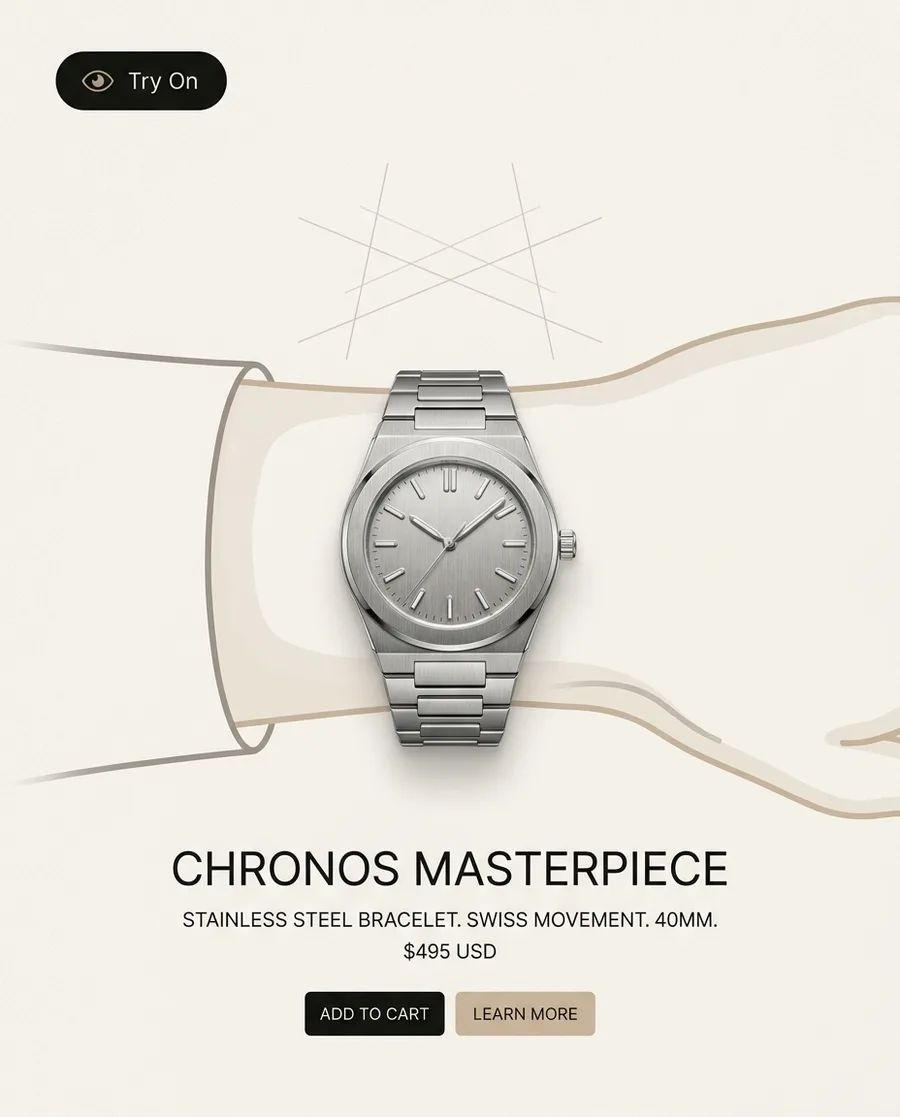
What is watch virtual try-on?
Watch virtual try-on is real-time augmented reality that shows a 3D model of a watch on a shopper’s own wrist through their phone or laptop camera. TryOn Virtual detects the wrist, follows it as it rotates, and renders the case, dial, and strap with physically based materials, so steel, gold, and leather catch the light the way they do in person. Because the watch is scaled to the tracked wrist, shoppers can judge case size — the question a white-background product photo can’t answer and a common reason watches get sent back. It runs in the mobile or desktop browser with no app download, and camera frames never leave the device. Merchants add it with the Shopify app, a script embed on WooCommerce or any other store, or the REST API. The Starter plan is free, with 25 try-on sessions a month and 3 AI-built 3D models.
How watch try-on works on your product pages
Add a 3D model of the watch
Upload a GLB or GLTF you already have, or generate one from your product photos in the dashboard. The model carries the case, dial, and strap materials.
Shopper taps Try On
A Try On button sits on the product page. Nothing heavy loads until the shopper taps it, so product pages stay fast.
The wrist is tracked live
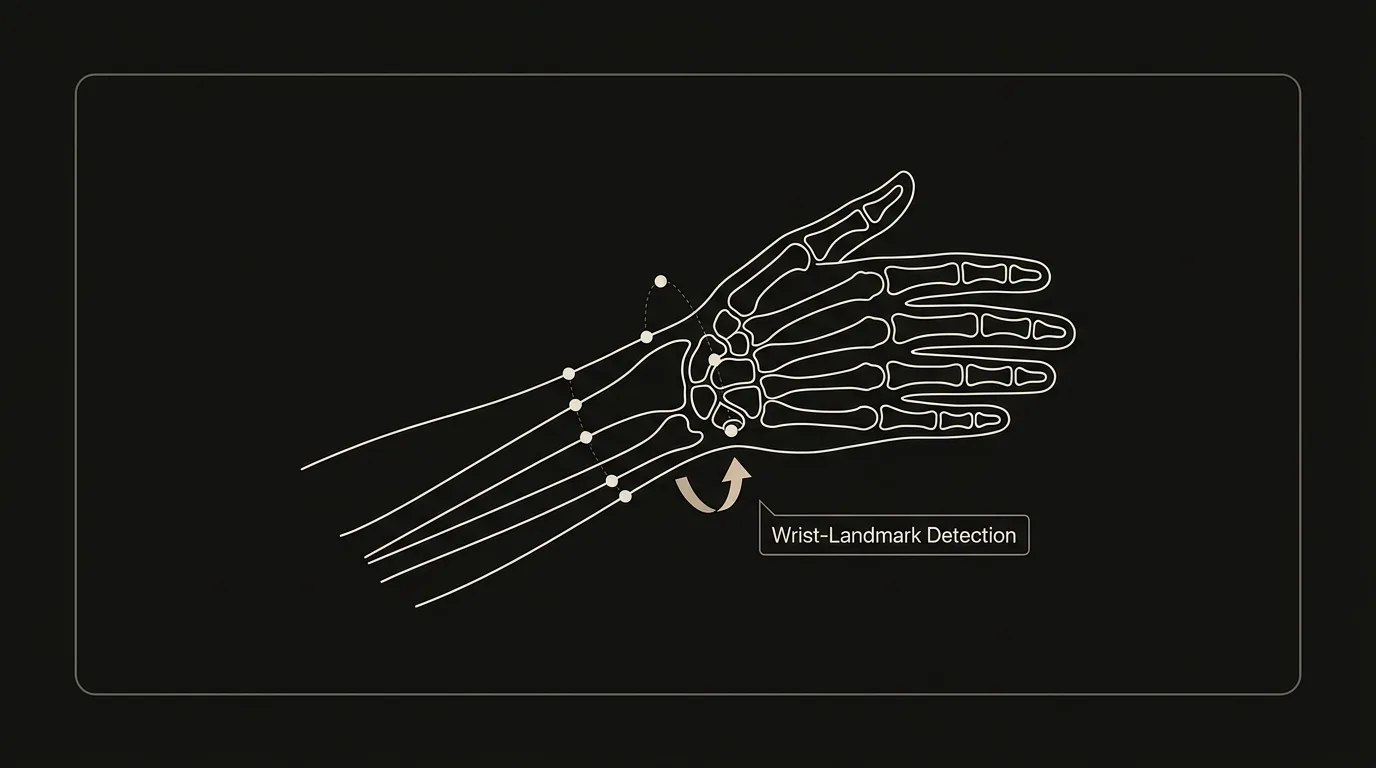
The phone or laptop camera finds the wrist and the watch locks onto it, following rotation as the shopper turns their arm.
All in the browser
No app to install and no account to create. The camera frames are processed on the device and never uploaded.
What shoppers see on their wrist
Watch buyers hesitate over size and finish. Try-on answers both. For the engineering behind it, read how watch virtual try-on differs from eyewear try-on.
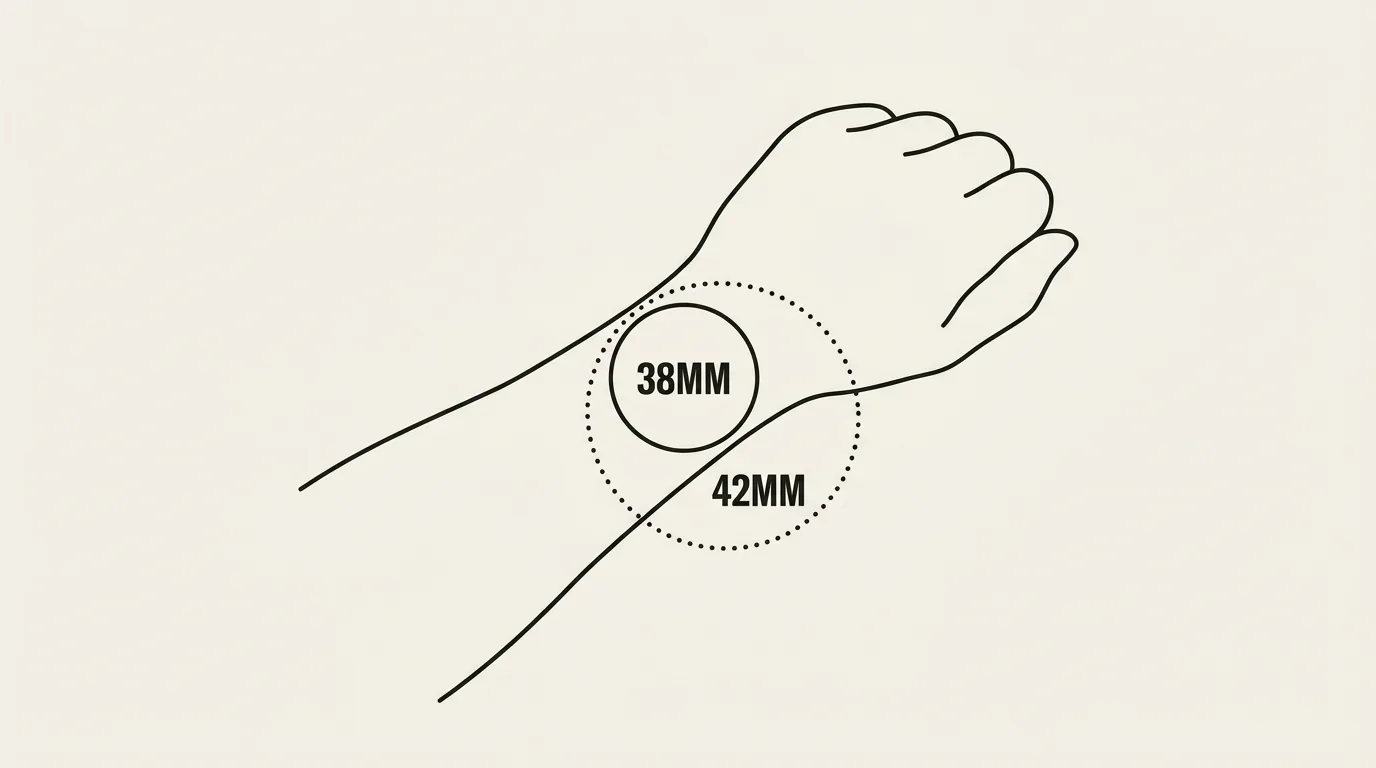
See 38 mm vs 42 mm on their own wrist
A catalog photo on white gives no sense of scale. In try-on the watch is scaled to the wrist the camera is tracking, so shoppers can tell whether a case sits modestly or covers the whole wrist.
- Compare case sizes side by side
- Answers the most common sizing doubt
Metal that looks like metal
Physically based rendering makes brushed steel, polished gold, and ceramic catch and move light as the wrist turns, including reflections on the dial and crystal.
- Brushed, polished, and matte finishes
- Dial and crystal reflections
Leather, rubber, or links
Each strap material keeps its own texture and roughness from the 3D model, so a leather strap and a steel bracelet read as different products.
- Leather grain and stitching
- Link bracelets and rubber straps
Turn the wrist, the watch follows
Tracking runs continuously, so the watch stays on the wrist as the shopper rotates and tilts it, the same way they would check a watch in a store mirror.
- Follows rotation and tilt
- Works on mobile and desktop cameras
What you need to launch watch try-on
A 3D model for each watch
Live AR needs a 3D model. If your manufacturer or a 3D studio already supplied one, upload it: GLB is recommended, and GLTF, USDZ, SPZ, and PLY are accepted. Every upload gets an automatic quality check for polygon count, texture size, and materials. No model yet? The dashboard can generate watch models from your product photos with the same AI pipeline behind our 3D model builder for eyewear. Every plan includes free AI-built models.
A preview before it goes live
Each product has a preview link, so you can open the try-on on your own wrist and check the result before you switch it on for shoppers.
Shopper privacy built in
Wrist tracking runs in the shopper’s browser. Camera frames stay on the device, are never sent to our servers, and are discarded when the session ends. There is no photo to store, so there is no photo to delete.
Add watch try-on on any platform
It’s the same production widget everywhere. Only the install method changes.
Shopify app + theme block
Install TryOn Virtual from the Shopify App Store, add your watch models, and drop the TryOn block into your product template. Works with every Shopify 2.0 theme and needs no code. Billing runs through Shopify.
Shopify setupScript embed, no plugin
WooCommerce stores paste a short script and a Try On button into the product template. There is no WordPress plugin to install or keep updated. Products are managed in the merchant panel.
WooCommerce guideREST API + embed
On a custom or headless storefront, sync your watch catalog with the REST API, using your own product IDs, and add the same embed to your product pages.
Virtual try-on APIWatch try-on: TryOn Virtual vs Camweara
Camweara is a well-reviewed, affordable Shopify AR app that covers watches among many categories. Here is where the two differ for a watch store.
| TryOn Virtual | Camweara | |
|---|---|---|
| Watch try-on | Live AR with real-time wrist tracking, in the browser | Watches are among supported categories |
| Try-on modes | Real-time AR + dedicated AI photo-swap engine | Real-time AR + photo mode |
| 3D model creation | AI-generated from product photos, or upload your own | Upload product images or supply GLB files |
| Free tier | Yes — $0 Starter, 25 sessions/mo | No — plans start at $39/mo |
| Published pricing | $0 / $15 / $49 / $149 / Custom | $39 / $90 / $200 per month |
| Usage model | Session-based — catalog size unlimited | Product-count caps (70–3,000 products) |
| Beyond Shopify | Shopify, WooCommerce, custom stores + REST API | Embeddable widget, Shopify-first |
Camweara details from its public site and Shopify App Store listing (pricing verified September 2026). Always confirm on the vendor’s own page. Full breakdown: TryOn Virtual vs Camweara.
Which fits a watch store?
Camweara is a strong budget choice if product-count caps suit a small catalog and you want a proven Shopify app. TryOn Virtual fits better if you want to start free, pay by try-on sessions instead of SKU count, and generate watch 3D models from photos rather than sourcing GLB files for every reference.
Pricing for watch stores
25 try-on sessions / month
3 free AI-built 3D models for AR try-on
150 try-on sessions / month
5 free AI-built 3D models for AR try-on
500 try-on sessions / month
10 free AI-built 3D models for AR try-on
2,500 try-on sessions / month
100 free AI-built 3D models for AR try-on
Unlimited try-on sessions
Unlimited AI-built 3D models for AR try-on
Plans are priced by try-on sessions, not catalog size, so adding references doesn’t move you up a tier. The figure to plan around is the free AI-built 3D models per plan, since each watch needs one. Paid tiers include a 7-day free trial. Custom is for retailers off Shopify. See all plans and overage rates.
Watch try-on questions
Is watch virtual try-on live, or still in early access?
It is live. Real-time wrist tracking for watches is in production alongside eyewear try-on, and you can test it with the Try Live Demo button on this page. Merchants can install it today on Shopify, WooCommerce, or a custom store.
Do shoppers need to download an app?
No. Watch try-on opens in the mobile or desktop browser from the Try On button on your product page. It needs a camera and a browser with WebGL 2.0, which covers current iPhones, Android phones, and laptops.
How do I get 3D models of my watches?
Upload the models you have (GLB recommended; GLTF, USDZ, SPZ, and PLY also work) or generate them from your product photos in the dashboard. Free AI-built models are included on every plan: 3 on Starter, 5 on Essentials, 10 on Growth, and 100 on Scale. Extra models are $0.75 each on Essentials and $0.50 on Growth and Scale.
Does it show the real case size on the wrist?
The watch is rendered at its real dimensions relative to the wrist the camera is tracking, so a shopper can see how a 38 mm case compares with a 42 mm case on their own arm. Treat it as a visual guide to proportion. It is not a measuring tool, so keep case and lug-to-lug dimensions on the product page.
What happens to the shopper’s camera feed?
Nothing leaves the device. Live AR runs entirely in the shopper’s browser: camera frames are processed locally, never uploaded to our servers, and discarded when the session ends. That is different from AI photo try-on for clothing and shoes, where the shopper’s chosen photo is processed by OpenAI or Google Gemini and deleted within 24 hours.
How much does watch virtual try-on cost?
The Starter plan is free with 25 try-on sessions a month and 3 AI-built 3D models. Paid plans are Essentials at $15/month (150 sessions), Growth at $49/month (500), and Scale at $149/month (2,500), each with a 7-day free trial. Retailers off Shopify can also choose a Custom plan with unlimited sessions.
Will it slow down my product pages?
No. The product page only loads a small bootstrap script that adds the Try On button. The 3D engine, the watch model, and the tracking code load only after a shopper taps Try On, so they do not affect initial page load or Core Web Vitals.
Put your watches on every wrist
Try the live wrist demo, then install free on Shopify or embed it on your own store.