Jewelry is one of the hardest things to sell online, and the reason is specific: a ring or a pair of earrings on a white background tells a shopper almost nothing about the thing they actually care about — how it will look on them. Not the product. Them. How big the stone reads on their hand, whether the gold suits their skin, how a pendant sits at their neckline.
Virtual try-on answers that question, but jewelry try-on works differently from the eyewear or watch try-on you may have seen. It's mostly not real-time AR. It spans four very different body locations. And what makes it convincing isn't tracking accuracy — it's whether the metal and the stones look real.
This guide covers how virtual jewelry try-on actually works, piece by piece — rings, necklaces, earrings, and bracelets — and what separates a try-on that sells from one that looks like a sticker.
The Short Version
- Most jewelry try-on is AI photo swap, not live AR. The shopper uploads a photo and the AI places the piece onto their hand, neck, ears, or wrist. Real-time AR for earrings, necklaces, and bracelets is in beta.
- No 3D model is required. Because it works from a flat product photo, you can launch from the catalog images you already have — no 3D artist, no special photography.
- Each piece is a different problem. Rings need finger detection and honest scale; necklaces need natural drape; earrings need ear alignment; bracelets sit on the wrist.
- Materials decide believability. Yellow gold has to read as gold, a diamond has to sparkle, a pearl has to glow. Convincing metal and gemstone rendering is what makes jewelry try-on work — more than anything else.
If you sell jewelry online, the useful question isn't "does try-on exist for jewelry" — it does, and you can see it live. It's "does it answer the two things every jewelry shopper is unsure about: scale and how it looks on me." That's what the rest of this covers.
How Does Virtual Jewelry Try-On Work?
Eyewear and watch try-on are real-time AR: the product renders live on your camera feed and tracks your head or wrist as you move. Jewelry mostly works the other way — through AI photo swap.
With photo swap, the shopper uploads a photo (or takes one), and the AI detects the relevant body part — hand, neckline, or ears — then composites the jewelry onto it, matching position, scale, and lighting. There's no live camera tracking for most pieces, and crucially, there's no 3D model involved. The system works directly from your existing flat product photography, which is why a jewelry brand can turn on try-on without commissioning 3D assets the way an eyewear brand does.
Live AR is coming to jewelry too: real-time AR for earrings, necklaces, and bracelets is in beta, built on the same face and wrist tracking that powers eyewear try-on and watch try-on. So jewelry try-on today is best understood as photo swap for every piece, with earring, necklace and bracelet AR in beta.
Why is photo swap still the main path? Hands, necklines, and wrists move unpredictably and are photographed at every conceivable angle. A still photo gives the AI a clean, controlled frame to work with — and for jewelry, where the buyer wants to study the piece rather than watch it move, a high-quality static result is often more useful than a jittery live one.
Piece by Piece
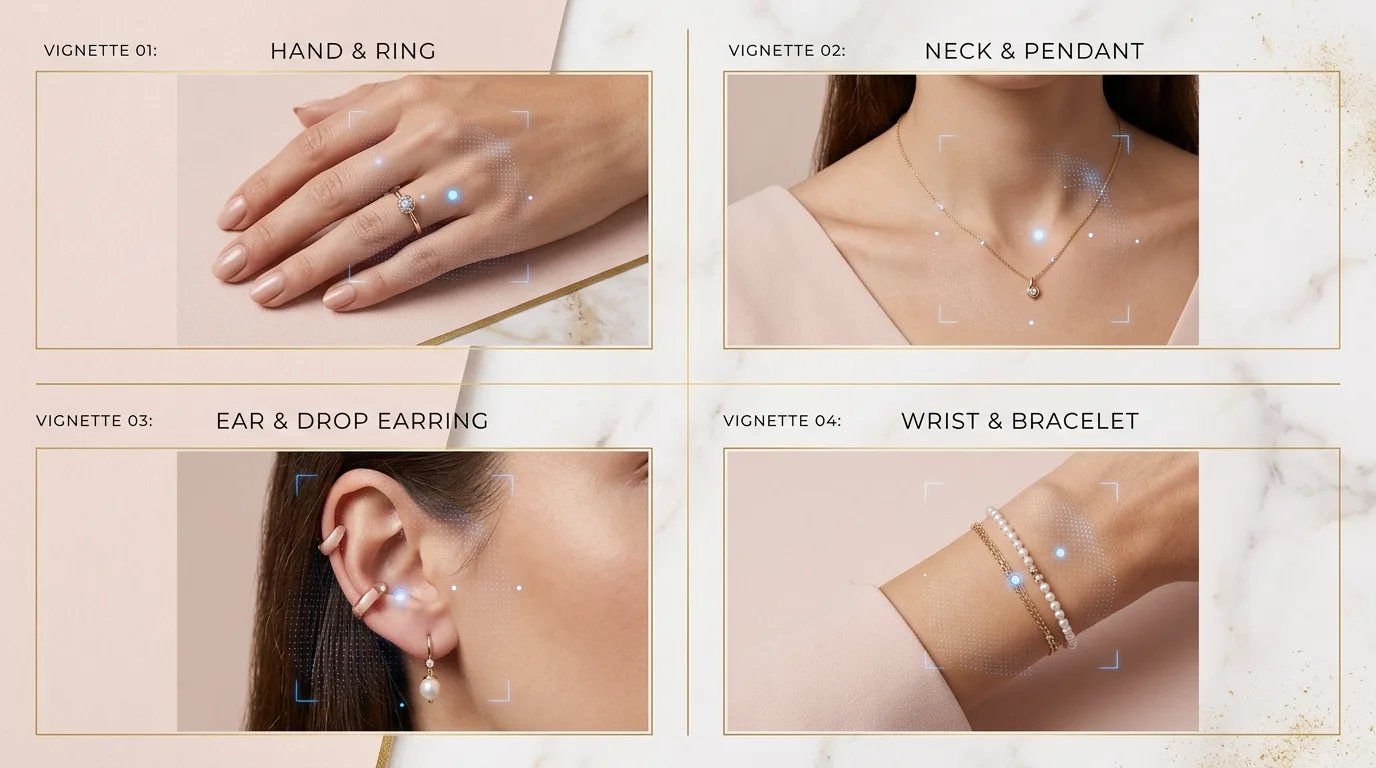
Jewelry isn't one try-on problem — it's four, because rings, necklaces, earrings, and bracelets each sit on a different part of the body and fail for different reasons.
Rings
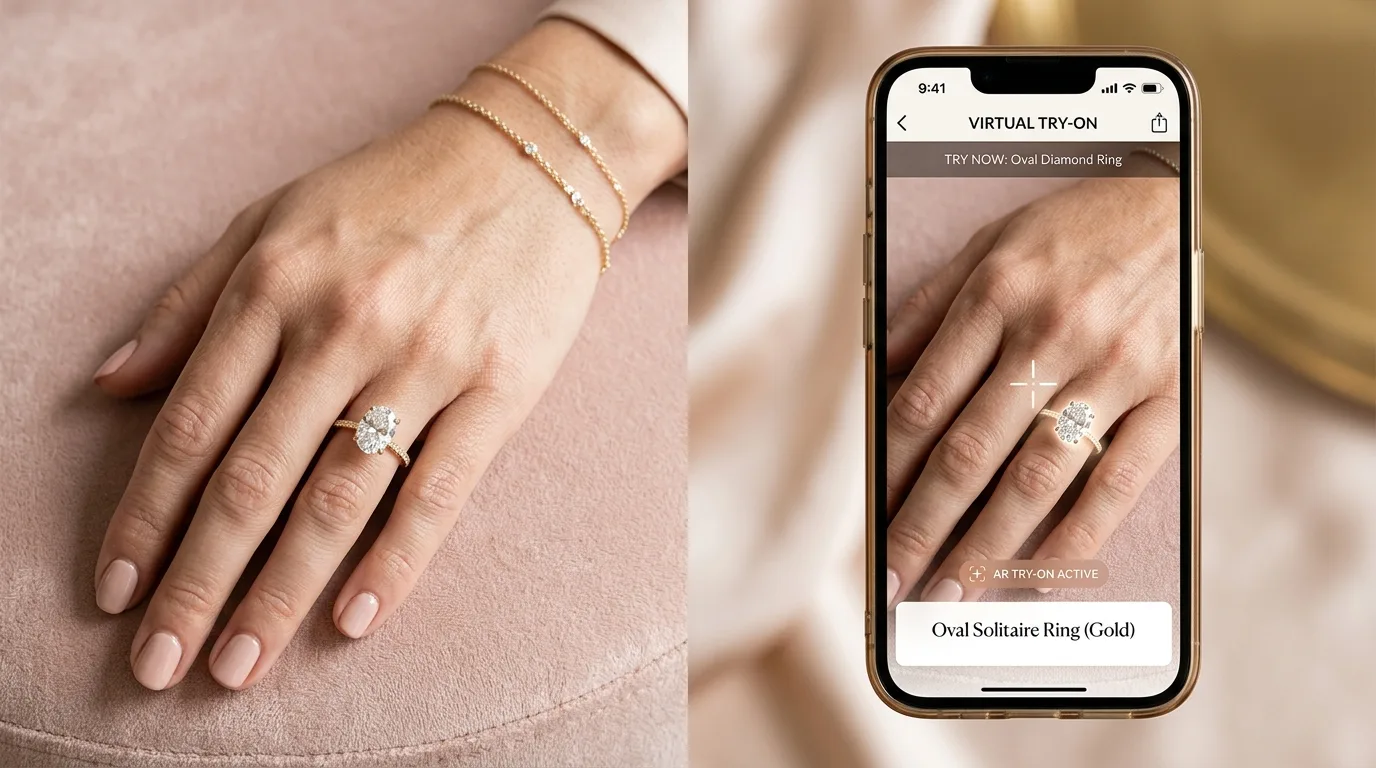
Rings are the hardest jewelry try-on, and the hardest thing about them is scale. Online, a shopper genuinely cannot tell whether a center stone will look delicate or dramatic on their finger — and "the stone was smaller/bigger than I expected" is one of the top reasons rings get returned. Photo-swap ring try-on detects the hand and finger position from the uploaded photo and places the band with accurate proportion, so a 1-carat solitaire reads at 1 carat on that hand, not floating at some generic size. For engagement rings especially, where the purchase is high-stakes and often unseen before buying, seeing true scale on a real hand is the entire value.
Necklaces & Pendants
For necklaces, the question shoppers can't answer from a product shot is where it sits. Chain length is abstract until you see it — a 16-inch and a 20-inch necklace land in completely different places on the same person, and a pendant that looks perfect flat may sit too high or too low in reality. Necklace try-on detects the neckline and drapes the chain naturally, positioning the pendant where it would actually fall. That turns "will this length work on me?" — a question that drives a lot of necklace hesitation and returns — into something the shopper can just see.
Earrings
Earring try-on runs as photo swap today: studs, hoops, and drops are aligned to the ears detected in the shopper's photo. Real-time earring AR is in beta — because earrings attach to the face, the same 468-point face tracking used for glasses can detect ear position and render them live as the shopper turns their head, so a statement hoop shows its real movement. Either way, the thing being answered is proportion: whether a bold earring overwhelms or flatters, which a catalog photo never reveals.
Bracelets
Bracelets sit on the wrist, and like rings, the shopper's uncertainty is scale and presence — how chunky a cuff reads, how a tennis bracelet sits against the skin. Bracelet try-on places the piece on the wrist detected from the photo at accurate proportion. It's closely related to watch try-on, which solves the same wrist-scale problem for a different product.
What Makes Jewelry Try-On Look Real: Materials
Here's the part that decides whether jewelry try-on helps or hurts: the materials. Tracking a ring to the right finger is worthless if the gold looks grey and the diamond looks like frosted glass. Jewelry is, more than almost any product, about its materials — and rendering them convincingly is the hard part.
Good jewelry try-on preserves the material properties from your product photography so each metal and stone reads correctly:
- Metals — yellow gold, white gold, rose gold, silver, and platinum each reflect light differently. Rose gold that renders as plain yellow, or platinum that looks like dull steel, instantly breaks the illusion and undersells the piece.
- Gemstones — a diamond's brilliance, a sapphire's saturated color, an emerald's depth. Faceted stones live or die on how they catch light; a flat, matte gem looks fake and cheap.
- Pearls — soft luster rather than a hard shine, which is a distinct rendering problem from faceted stones.
This is the jewelry equivalent of the lesson from watch try-on: the form factor matters less than whether the metal looks like metal. For a category where a single piece can cost thousands, a try-on that makes fine jewelry look like a toy is worse than no try-on at all — so material fidelity is the thing to scrutinize when you evaluate any jewelry try-on.
Why It's Worth It for Jewelry Specifically
Jewelry has an unusually strong case for virtual try-on because it combines two things: high hesitation and high order value.
The hesitation is structural. A shopper can't judge scale, proportion, or how a piece complements their skin tone from a product photo, and that uncertainty is exactly what stalls the purchase. The order values are also high, which magnifies every conversion the try-on unlocks and every return it prevents. Brands offering jewelry try-on report meaningfully higher add-to-cart rates and fewer returns on pieces with try-on enabled (based on industry research; individual results vary). The mechanism is the same one a mirror provides in a physical jewelry store — the ability to answer "does this look right on me?" before committing — delivered to online shoppers who otherwise have no way to ask it.
It also produces something jewelry marketing loves: shareable moments. A shopper who sees a ring or necklace on themselves often screenshots it to ask a friend or partner, which creates organic word-of-mouth and brings them back to buy after a thumbs-up.
Fine Jewelry vs. Fashion Accessories
The same try-on serves both ends of the market, but the emphasis differs:
- Fine jewelry (engagement rings, diamond pieces, precious metals) leans on accuracy — true scale and honest material rendering, because the buyer is spending a lot and can't see the piece in person. Getting carat size and metal tone right is the whole job.
- Fashion accessories (costume earrings, statement necklaces, trend pieces) lean on speed and volume — large, fast-moving catalogs where try-on drives browse-to-buy across many low-consideration items. Here the win is turning casual browsing into add-to-carts at scale.
Because jewelry try-on works from ordinary product images, both cases run on the same setup — you don't need a different pipeline for a $5,000 solitaire and a $30 pair of hoops.
How to Add Jewelry Try-On to Your Store
The practical appeal of photo-swap jewelry try-on is how little it asks of you:
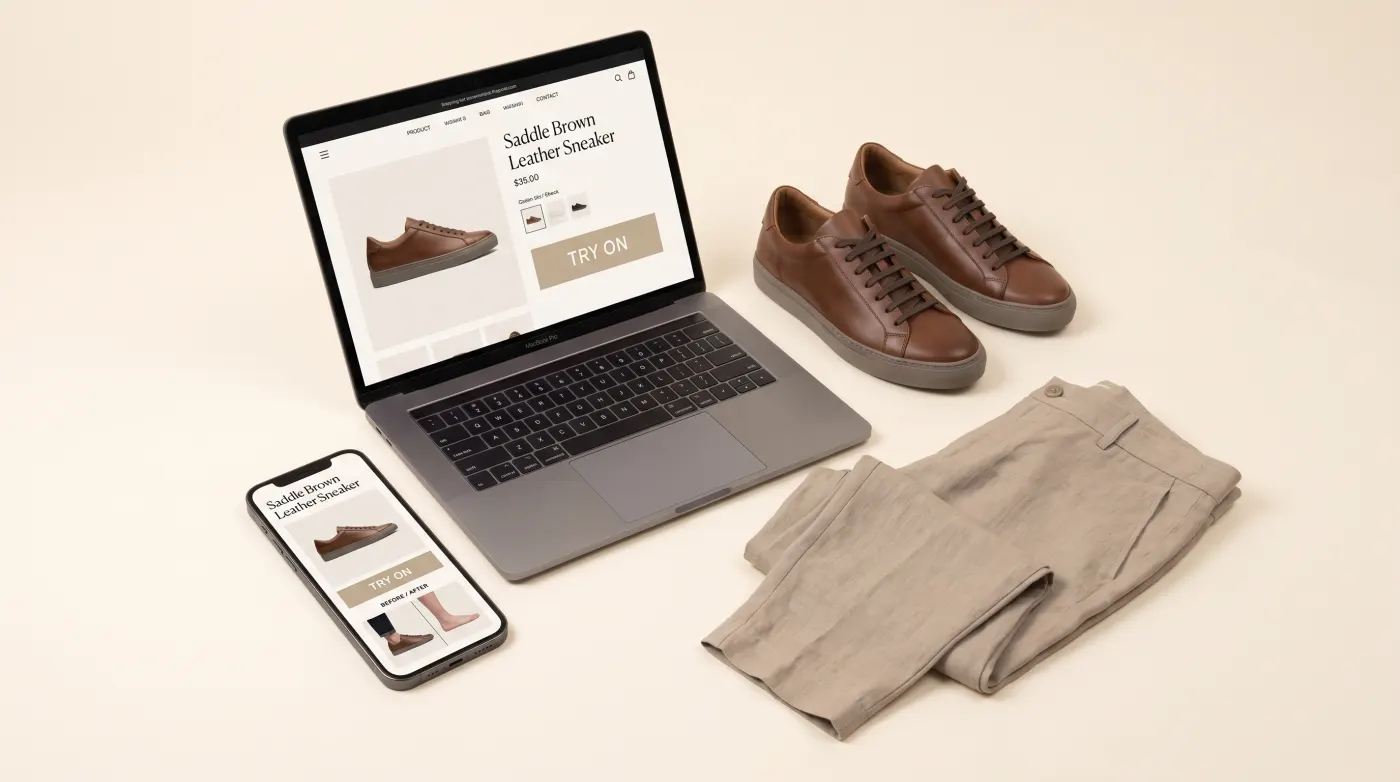
- It uses the photos you already have. No 3D modeling, no special rig — standard catalog product images (JPEG, PNG, or WebP) are the input.
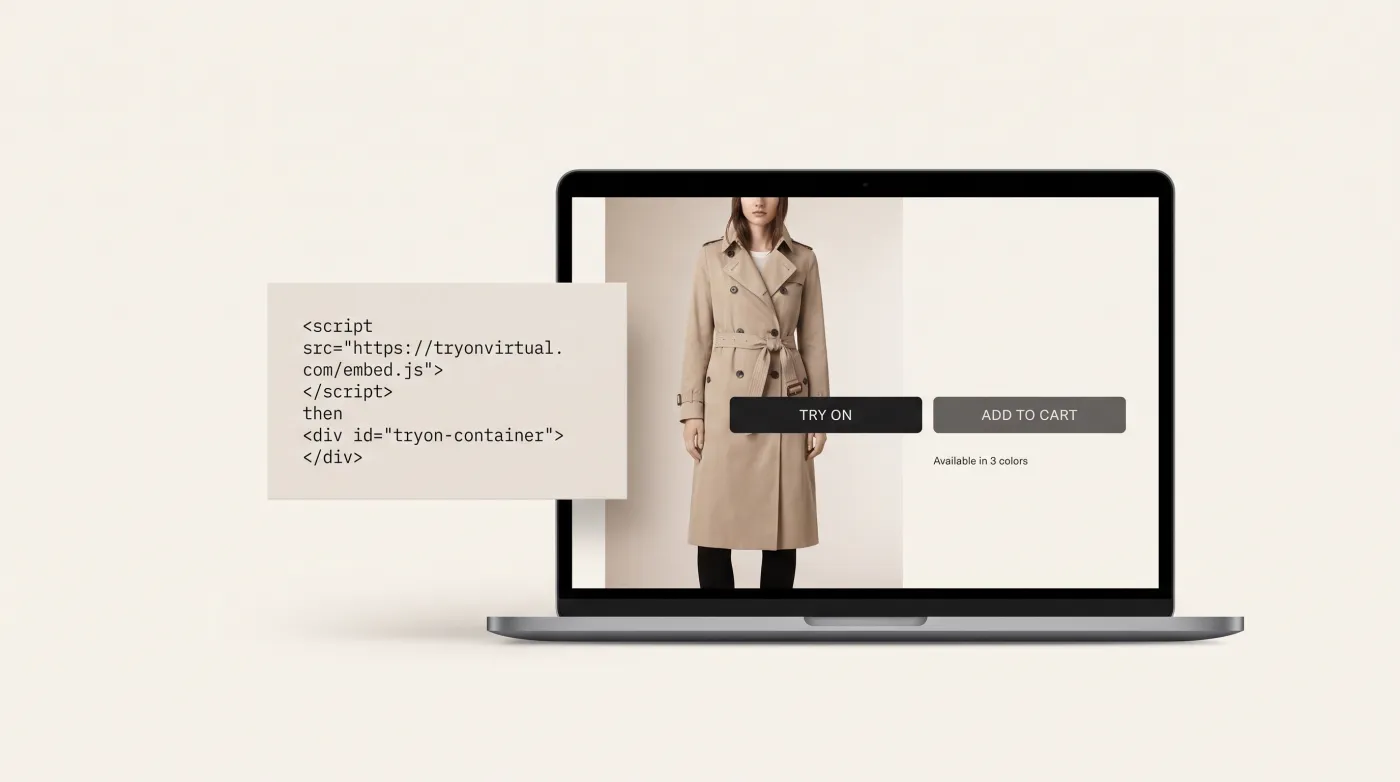
- It works on any platform. Shopify via the app; WooCommerce or any custom storefront via a JavaScript embed (no plugin to install).
- There's no app for your shopper to download. Try-on runs in the browser; the customer taps a button, uploads a photo, and sees the piece.
That low setup cost, combined with jewelry's high hesitation and high margins, is what makes it one of the strongest-fit categories for virtual try-on.
Frequently Asked Questions
Does virtual jewelry try-on use AR or photo upload? Photo upload (AI photo swap) is the main path: the shopper uploads a photo and the AI places the ring, necklace, earrings, or bracelet onto their hand, neck, ears, or wrist, typically in 10–20 seconds. Real-time AR for earrings, necklaces, and bracelets — live face and wrist tracking, the same approach used for glasses and watches — is in beta.
Do I need 3D models to offer jewelry try-on? No. Unlike eyewear or watch try-on, which render 3D models in real time, jewelry try-on works directly from your existing flat product photography. There's no 3D artist, no special photography, and no modeling pipeline — you launch from the catalog images you already have.
Can customers see the real size of a ring or stone on their hand? Yes, and it's the most valuable part. The system detects the hand and finger from the uploaded photo and places the ring at accurate proportion, so a shopper can see whether a center stone reads delicate or dramatic on their finger. Misjudged scale is a leading cause of ring returns, and this addresses it directly.
Will fine jewelry look cheap in try-on? Only if the material rendering is poor. Convincing try-on preserves metal tone and gemstone properties — yellow gold reads as gold, a diamond keeps its brilliance, a pearl keeps its luster. Because jewelry is defined by its materials, this fidelity matters more than anything else, and it's the thing to test before committing to a provider.
What types of jewelry can customers try on? Rings, necklaces and pendants, earrings, and bracelets — across fine jewelry, fashion accessories, and custom pieces. Each uses body detection suited to its location: finger detection for rings, neckline detection for necklaces, ear detection for earrings, and wrist detection for bracelets.
Does it work on Shopify? Yes. Jewelry try-on installs on Shopify through the app, and on WooCommerce or any custom storefront via a JavaScript embed (there is no plugin to install) — with no app download required for the shopper.
The Bottom Line
Jewelry try-on solves the two questions a product photo can't: how big is it really, and how does it look on me. It gets there differently from eyewear and watches — mostly through AI photo swap rather than live AR, with earring, necklace and bracelet AR in beta — and it succeeds or fails on how convincingly it renders gold, gemstones, and pearls.
For a jewelry brand, that's a strong combination: the category with the highest online hesitation and some of the highest order values is also one of the easiest to enable, because it runs on the product photos you already have. See jewelry try-on live, or read how the underlying AI photo swap works across categories.
This article is part of The Complete Guide to Virtual Try-On in Ecommerce — our full breakdown of try-on types, product categories, ROI, and platform options.